Five riders.
One very long journey.
GALLOP is built around an unruly trip with friends. Here’s the announced party size, the listed modes and the important split-screen caveat.
The developer says GALLOP is planned for up to 5 players. Steam lists online co-op and single-player. Local split-screen is being considered, but is not confirmed.
On this page
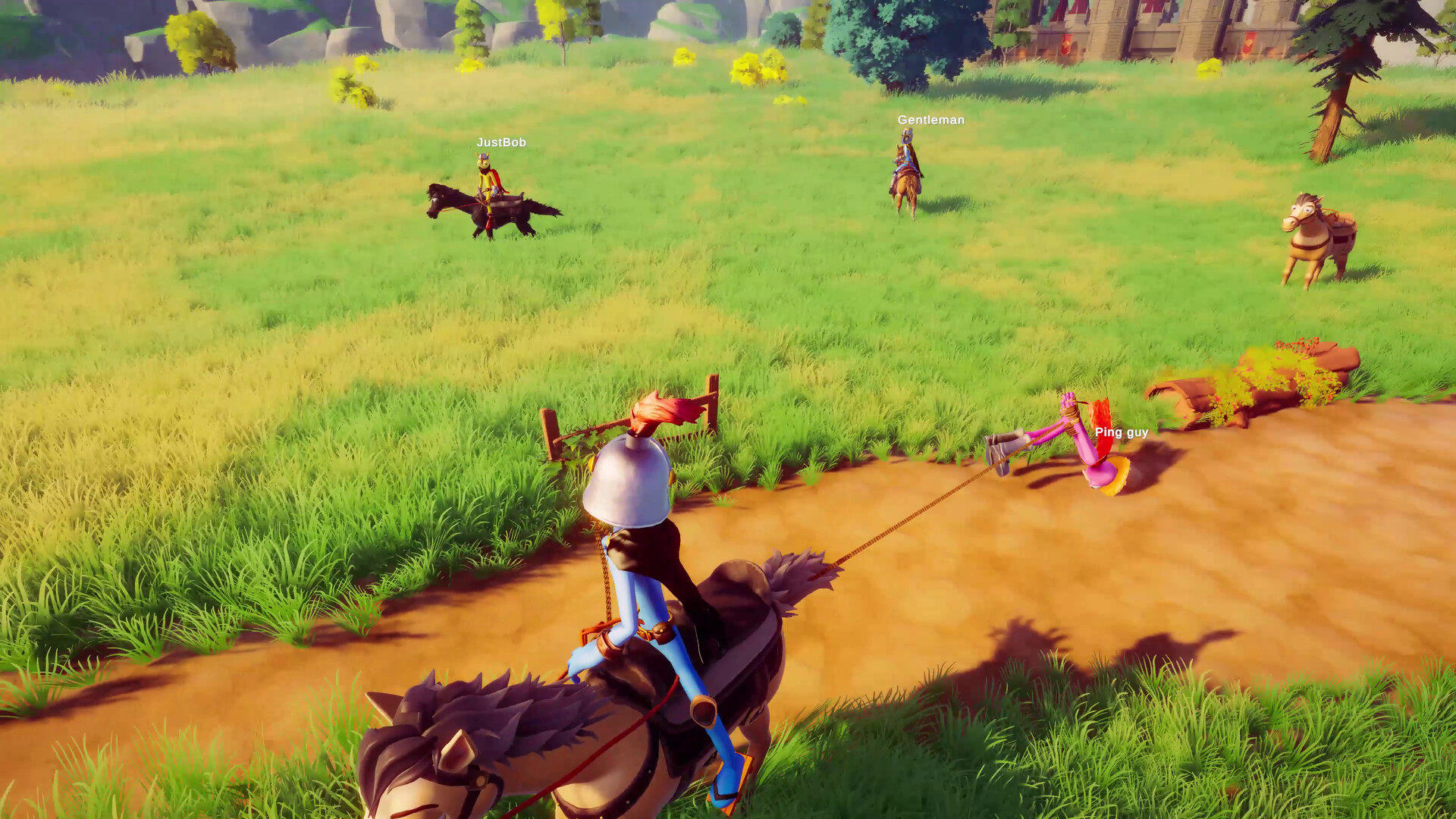
A lasso can help your group—or make the journey considerably worse.
Who can come along?
Up to five players is the announced maximum. That comes from the developer’s reply to a player asking about group size. It is a pre-release plan, not a tested server-capacity claim.
Check your party setup.
Compare your plan with the announced modes and player count. No account or connection to the game is needed.
Manual check: one rider has a listed solo mode; two to five riders fit the planned online player count; six or more exceed that announced online cap. Multiple players on one PC still need local co-op confirmation.
Online co-op
Ride with friends through the medieval journey. Broadband Internet is listed, and an Internet connection is required for online co-op.
Single-player
Steam also lists a single-player mode. That flag alone does not explain how every cooperative obstacle changes for a solo rider.
The store describes helping friends across rivers and narrow passes, pulling a rider back with a lasso and carrying the wounded over a saddle. You can also interfere with each other. The trip mixes cooperation with physical mischief; it is not presented as a conventional horse-racing competition.
Lobby creation, invite menus, matchmaking, host migration and save-sharing details are not established by the reviewed announcements. There are no reliable button-by-button session instructions to follow yet.
Can everyone share one screen?
Local split-screen is not confirmed. In response to a request for local co-op, the developer said it was being considered and that the team was still deciding whether it suited the core gameplay.
Planning a couch co-op night?
Wait for an explicit local multiplayer announcement before making a one-PC, multiple-controller plan. The announced online mode and a full controller-support flag do not establish same-screen play.
Cross-play across platforms is also not established in the material used for this guide. The reviewed store page is a Windows PC listing; don’t assume it promises a console version or a mixed-platform party.
Controllers are on the list.
Steam lists full controller support, including Xbox controllers, DualShock controllers over USB and Steam Input API support. Wireless DualShock support, every third-party pad and local multiplayer are separate questions that this listing does not settle.
No verified default key bindings are provided in the reviewed material. For now, check whether your intended controller type is listed and review the platform and language details. Actual in-game control setup will need a released build or a specific developer guide.
Make a plan for the release.
These are preparation suggestions, rather than instructions for a lobby that is already available:
You can tick these notes for this visit. Saving and progress tracking require JavaScript.
0 of 4 preparation notes complete.
Checks are saved when you change them, in this browser only. Clearing site data removes these notes; there is no cross-device sync.
Preparation notes complete. Release access and any unconfirmed features still need an announcement.
Once the game is playable, revisit the current store features and in-game menus before relying on pre-release plans. This guide has not tested an online session.
Check the PC requirements